
The picture needs a written equivalent
How to write alt text for podcast social images
Alt text is a written alternative to an image. For a podcast social graphic, retain its meaningful words and credit, and explain any visual relationship needed to understand it. Describe the finished asset without adding a stronger claim.
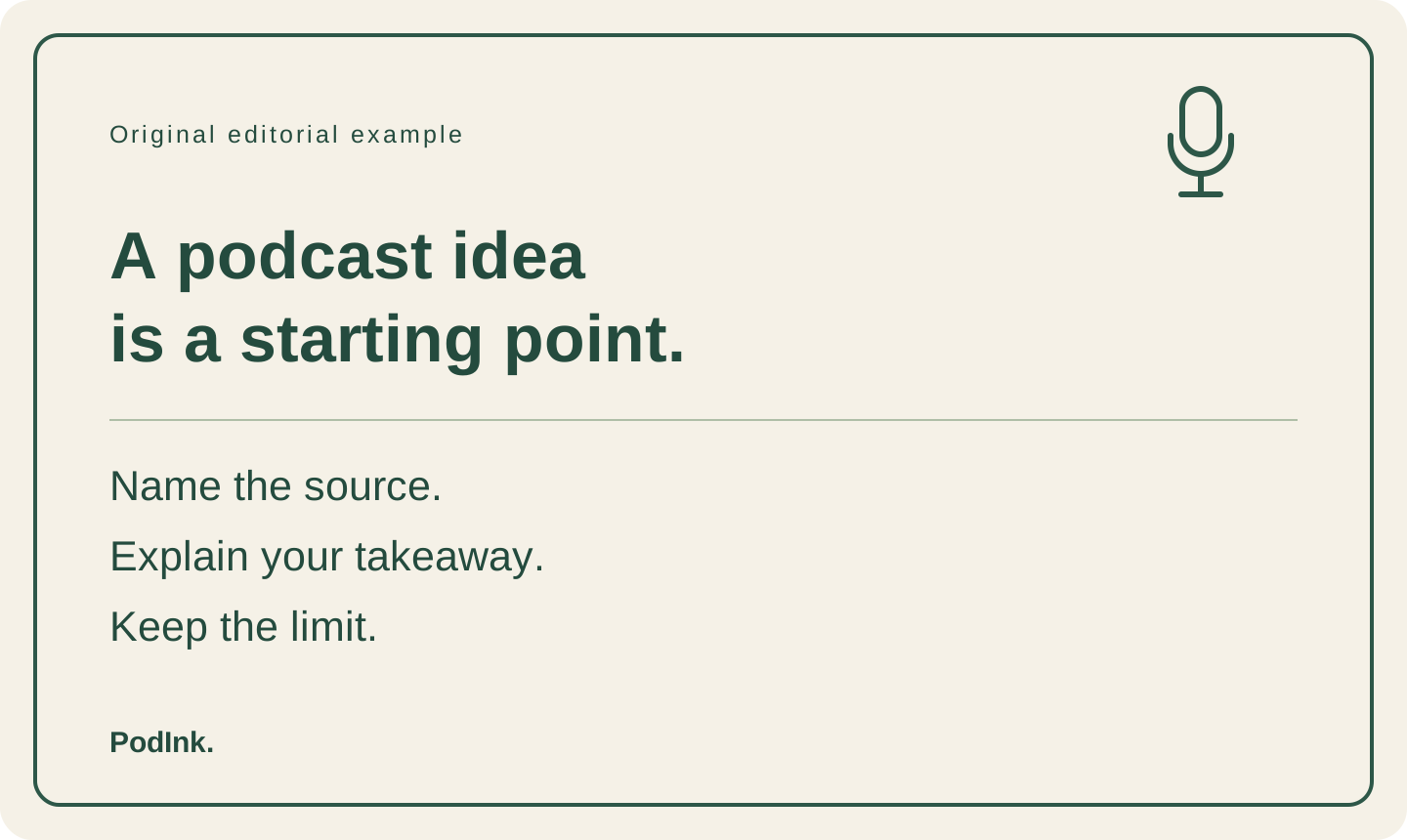
A card can look complete while its description says only “Podcast graphic”. The example below gives you an original card, its complete description, and rejected alternatives. The card contains our editorial advice, not a quotation from a real episode or a claim about a guest.
Start with what the image adds
W3C’s Images Tutorial ties a text alternative to the image’s purpose and essential information. The useful question for this card is what a reader would miss if the picture were unavailable. Source: W3C Images Tutorial.
Our sample post introduces a writing habit. The card supplies the short reminder itself and identifies PodInk as its author. The microphone-shaped decoration contributes no additional advice. The description therefore carries the reminder and credit, rather than an inventory of colors and shapes.
For a real guest quote card, inspect the words and source credit actually displayed. Describe that asset; keep the episode link in usable post text. If the card’s attribution is wrong, repair the card too. Writing better alt text does not correct the visible error.
Retain the words before describing the styling
W3C’s text-image example carries the displayed slogan into the alternative and leaves out irrelevant visual effects. The distinction is useful here: the card’s sentences matter; its rounded border does not. Source: W3C Images of Text.
If arrows, grouping or another visual relationship changes the meaning, explain that relationship. Do not assume every diagram is just a list. For a dense chart or long screenshot, a short description may be insufficient: W3C calls for a complete text equivalent of complex information. Source: W3C on complex images.
Use the platform’s image-description field
X documents a description for each attached image and says image descriptions cannot be added to videos through this feature. An image description is therefore not a replacement for reviewing a podcast clip’s captions or other media needs. Source: X image-description instructions.
Prepare the wording separately, then add it to the relevant image in the platform you will use. Inspect the platform’s current instructions and your final preview.
W3C’s HTML decision tree permits an empty alt attribute in certain redundant or decorative cases. That guidance concerns web-page context; it does not establish how a social app treats a blank description field. Do not copy an HTML empty-alt rule into a social composer by assumption. Source: W3C alt decision tree.
Finished example and blank record
Copy the description with its matching card
The filled package uses the card displayed above and remains an unpublished teaching example. Use its description only with that matching card. For another image, fill in the blank record so the next editor can compare the description with the correct asset.
FILLED TEACHING PACKAGE
Asset: podcast-alt-text-card.svg — the version shown in this guide
Visible words, in reading order:
Original editorial example
A podcast idea is a starting point.
Name the source.
Explain your takeaway.
Keep the limit.
PodInk.

POST COPY — START
Before turning an episode into advice, I want a source note I can reopen. This card is my editorial reminder, not a guest quotation. Which part of your draft comes from the episode, and which part is your interpretation?
POST COPY — END

IMAGE DESCRIPTION — START
Original editorial example. A podcast idea is a starting point. Name the source. Explain your takeaway. Keep the limit. PodInk.
IMAGE DESCRIPTION — END

BLANK IMAGE-DESCRIPTION RECORD
Asset filename and final version:
Post copy that accompanies the image:
Information the image adds:
Visible words and attribution that must be retained:
Visual relationship the reader needs (if any):
Description for this image:
Mismatch found when comparing the description with the final image:
Revised image or description:
Platform field and preview checked by / result:
Assistive-technology check performed / not performed:
Write against the asset
A description pass for the finished image
Open the final exported image
Read the actual card, not a design brief or an earlier draft. For this example, the short advice and PodInk credit are present; no guest, episode title or research result appears. Those absences matter when assessing a proposed description.
Draft the written equivalent
Begin with the words that carry the card’s message and credit. Then decide whether a relationship shown visually needs explanation. Keep unsupported context out: a microphone icon does not establish that a guest said the headline.
Compare against the picture
Compare each sentence with the card. In this example, Keep the limit must survive, and PodInk must not become a podcast guest. Read the description once without looking at the image and note what remains unclear.
Attach it to the right image
Keep the asset filename and version with the description so the publisher can identify its matching image. Check the correct image field and final preview before posting. If the image changes, compare again; an unchanged filename does not prove that its words stayed the same.
Compare the wording
What makes these descriptions incomplete or misleading?
Each proposed line describes the original card above. The rejected lines are intentionally faulty editorial examples, not quotations from an episode.
| Description | Decision | Reason |
|---|---|---|
| Podcast graphic. | Revise: message missing | The description identifies a topic but loses the reminder and its author. A reader receives none of the card’s actual instructions. |
| A cream card with a green border and a microphone icon. | Revise: decoration only | These visual details leave out the advice. They may matter in a design critique, but they do not explain this card’s message. |
| A podcast guest says a good source note guarantees an accurate post. | Reject: invented attribution and outcome | The card has no guest quotation and makes no guarantee. Adding a speaker or a promised result changes the asset’s meaning. |
| Original editorial example. A podcast idea is a starting point. Name the source. Explain your takeaway. Keep the limit. PodInk. | Keep for this teaching asset | The description retains the complete reminder and PodInk credit. It does not assign the advice to an episode or introduce a result. |
The final comparison
“Does the description give the reader this image’s message, or a story I added to it?”PodInk editorial check, not a podcast quotation
The retained version does not describe the cream background, border or microphone icon. Those features do not change the editorial reminder. A different assignment, such as reviewing the card’s design, could make appearance relevant.
A new footer, an added quotation mark or a changed final instruction would change this review. Match the description to the final visible asset before using it.
Hand over the image and its matching description together. After a change to the card, reopen both files and resolve any mismatch before using that version.
Compare how the approved core changes in the LinkedIn workflow and the X workflow.
Check the handoff
Review the description beside the finished card
- Does the description match the exact image that will be attached?
- Are the meaningful visible words and credit present?
- Does a visual relationship need explanation beyond the words?
- Have you added a speaker, emotion, endorsement or result that the asset does not establish?
- Is the description assigned to the correct image, and are any platform or assistive-technology checks still open?
Evidence and scope
What this guide has not tested
- The card and post copy are original AI-assisted teaching material. They do not quote a real episode or report user results.
- No social platform composer, screen reader or other assistive technology was tested. The guide does not certify accessibility compliance.
- This is a still-image writing task. It does not verify a podcast recording, a transcript, video captions or audio description.
- The official pages support principles and documented features; they do not establish that a particular description works in every platform, device or context.
- PodInk is not presented here as an automatic image-description generator or a social image publisher.
Human review remains necessary. No repurposing workflow can turn weak evidence into a strong claim.
FAQ
Frequently asked questions
Is image alt text the same as the social post caption?
No. In this example, the post introduces a writing habit; the description conveys the card’s contents. They can serve the same idea without doing the same job. Compare the image and its accompanying copy before writing either.
Should I describe every color and shape?
Include appearance when it changes what the reader needs to understand. For the displayed card, the advice and author matter more than the border or background. A diagram that relies on color or position needs a different description.
Can I put video captions in an image-description field?
X’s documented image-description feature does not apply to videos. Review the actual video and its caption or description options separately. A still image attached to a post does not carry the episode’s audio.
Can AI write the image description for me?
If you use an AI draft, compare every proposed detail with the actual image. The invented-guest example above shows the kind of unsupported interpretation to remove. Do not label that comparison a screen-reader test.
Evidence
Sources and comparison pages
- Images TutorialW3C Web Accessibility Initiative
- Images of TextW3C Web Accessibility Initiative
- An alt Decision TreeW3C Web Accessibility Initiative
- How to make images accessible for peopleX Help Center