
Make the episode available as text
How to publish a podcast transcript
To publish a podcast transcript, check the text against the final episode and place a clearly labelled transcript link beside the player. Retain speaker changes and meaningful sounds. Make editorial additions visibly separate from what was said.
A transcript gives readers the episode itself in text. A summary, a chapter list and a social post each select or reshape material for another purpose. Use the release worksheet below to stop those deliverables from being mistaken for one another.
A transcript and a summary have different jobs
WCAG’s prerecorded audio-only criterion concerns an alternative that presents equivalent information. It includes an exception for clearly labelled audio that is itself an alternative to text. A summary of selected points does not, by itself, demonstrate equivalence for an ordinary podcast episode. Source: W3C explanation of the audio-only criterion.
Use distinct labels on the episode page: Transcript for the episode text, Summary for selected takeaways, and Chapters for navigation. A visitor should not have to open a file to discover that the promised transcript is only a promotional outline.
Review the words before formatting the page
WAI advises correcting automatic transcription, identifying speakers where relevant and recording sounds needed to understand the content. Its transcription guidance warns against changing meaning and provides an uncertainty marker when speech cannot be understood. Source: WAI transcription guidance.
Keep a private issue list as you listen: location, uncertain words, proposed correction and result. Resolve a suspected name against the recording and suitable episode information. A plausible spelling or a language model’s confident answer is not evidence that the speaker used it.
When editing an interview into a social post, you may select a passage and add your argument. Keep that work in a separate document. The transcript should not quietly inherit a stronger claim from the promotional draft.
Give readers a usable destination
WAI describes HTML as a common transcript format, with speaker-labelled paragraphs as a simple podcast presentation. Its guidance treats headings and useful timestamps as optional aids and recommends making the transcript easy to find from the media. Source: WAI transcript format and placement.
For a page you control, a practical starting layout is an episode heading, an audio link, a clearly marked transcript section, speaker-labelled paragraphs and a separate resources section. Put your introduction outside the transcript. If you also offer a download, check that it contains the same reviewed version.
For a video podcast, plan separately for meaningful visual information. WAI distinguishes a basic audio transcript from a descriptive transcript that also conveys needed visuals. A file exported from captions may need additional context; this guide does not audit those additions. Source: WAI basic and descriptive transcripts.
Copyable editorial record
Keep the transcript attached to an episode version
Fill this record with the files and checks you actually used. Leave unperformed checks marked not performed so the next editor knows what remains. Keep the transcript body in its own linked document.
Episode title:
Public episode page:
Final audio filename / revision:
Transcript filename / revision:
Transcript format and destination:
Speaker names checked against:
Uncertain passages and their review outcomes:
Meaningful non-speech sounds retained:
Editorial additions labelled separately:
Audio comparison performed by / date / scope:
Transcript link checked on the episode page:
Download matches the reviewed text:
Keyboard and assistive-technology checks / results:
Remaining issues and owner:
Approved version / approval date:
If the audio changes: reopen the comparison and replace this record.
Match the released recording
A transcript handoff you can inspect
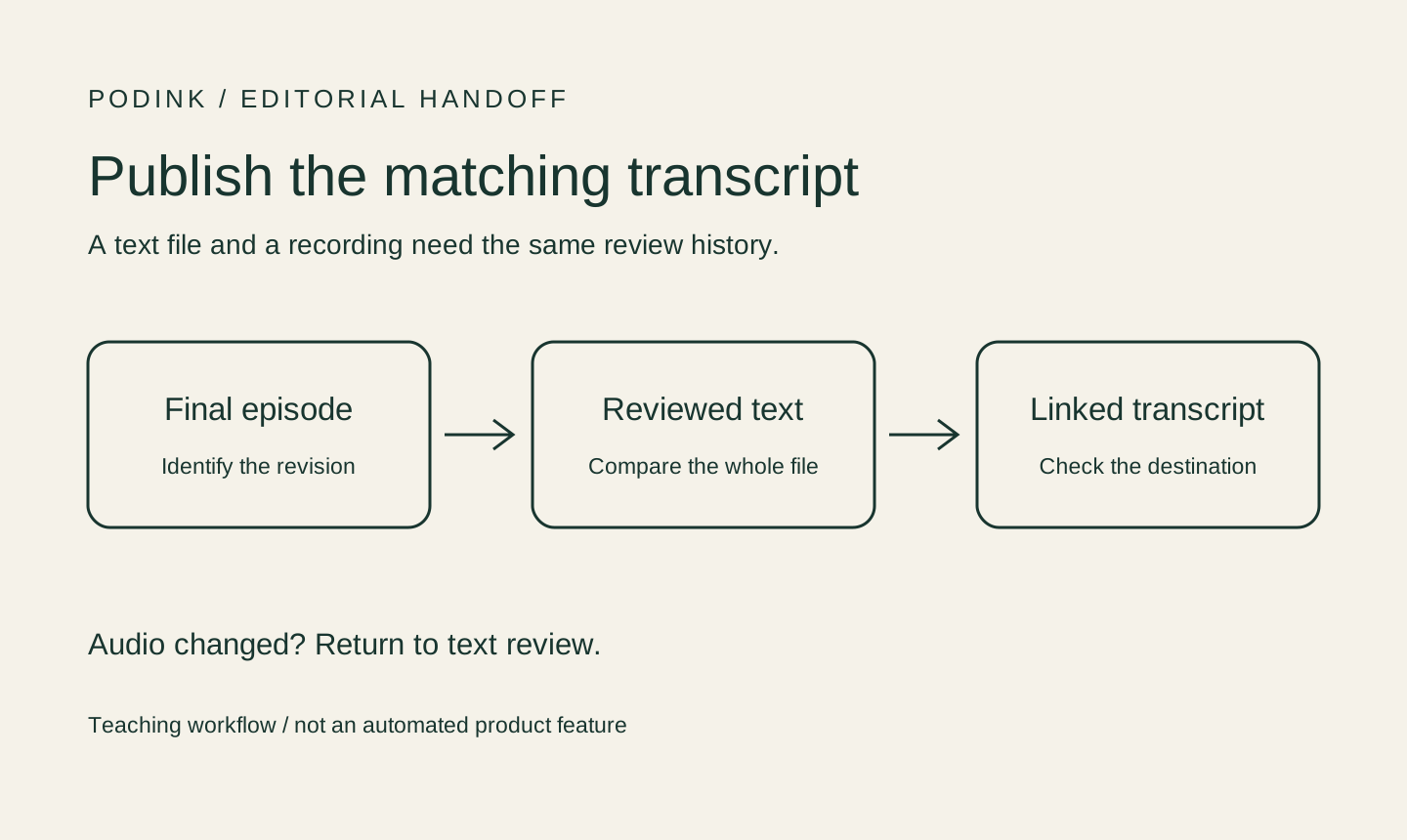
Identify the final episode version
Write down the final audio revision before reviewing text. If a producer sends a shorter edit, do not reuse the earlier transcript approval. Keep the old record so the editor can tell which comparison actually happened.
Compare the full text with the recording
Check the opening, every speaker turn and the ending, not just a compelling excerpt. Correct omissions or altered meaning. If a passage remains unclear, retain an honest uncertainty note and resolve what you can before approval.
Separate transcript from editorial extras
Put a summary, links or explanatory notes in named sections outside the speaker’s words. A reader should be able to distinguish the recording from a producer’s later clarification without guessing.
Publish and check the connection
On a page you control, add a labelled transcript link near the episode player. Open it from the published episode page and check the title, version, beginning and ending. Test keyboard access and the relevant assistive technology separately; a successful text comparison does not prove those checks passed.
A constructed editorial exercise
Why the same idea needs separate labels
The following dialogue is invented for this guide. It is not a transcript of an actual podcast, and no audio accuracy result is claimed.
| Object | Illustrative text | Editorial decision |
|---|---|---|
| Constructed transcript excerpt | Host: Would you publish the draft now? Editor: No. The ending was cut after I reviewed the text. [notification sound] Host: I will send the new audio file. | The sample preserves the refusal, its reason, the speaker changes and a sound. A real transcript must follow the real recording; this invented sound must never be copied into one. |
| Summary of that invented dialogue | The editor asks to review the transcript against the latest audio edit. | Useful as a summary, but it omits the actual exchange. Label it separately rather than replacing the transcript with it. |
| Editorial note outside the transcript | Producer’s note: the revised transcript will be linked after review. | This is a proposed status message, not something the fictional speakers said. Use it only if it matches the actual publication state. |
The distinction to inspect
“Could a reader tell which words belong to the episode and which were added by an editor?”PodInk editorial question, not an episode quotation
The refusal in the constructed exchange matters: deleting No would change the editor’s decision. Formatting can make a document easier to read while preserving that decision; rewriting it into approval would change the record.
The notification is included only to show where a meaningful sound might appear. For a real episode, decide from the actual listening context whether a sound carries information. Do not fill a transcript with imagined stage directions.
Keep the full transcript, the summary and the publishing status as separate objects. Each can then be reviewed against the promise its label makes.
Compare how the approved core changes in the LinkedIn workflow and the X workflow.
Before making the link public
Check the episode and text together
- Does the transcript identify the same episode and audio revision that will be public?
- Has the full recording been compared, with unresolved passages recorded honestly?
- Are speaker turns and meaningful sounds present without invented interpretation?
- Are additions clearly separated from the speaker’s words?
- Can a visitor locate and open the transcript from the episode page?
- Have keyboard, download and assistive-technology checks been recorded separately?
Evidence boundaries
What this guide does not establish
- The dialogue and worksheet are original teaching material, not a real episode transcript or a report of listening tests.
- The cited WAI pages explain accessibility principles. This guide is not a site conformance audit or a certification that a particular transcript meets all requirements.
- No recording, podcast-host upload, screen reader or other assistive technology was tested for this article.
- PodInk is not presented here as a public transcript hosting service or an automatic accessibility checker.
- A transcript link and readable HTML do not guarantee search indexing, rankings or AI citations.
Human review remains necessary. No repurposing workflow can turn weak evidence into a strong claim.
FAQ
Frequently asked questions
Can show notes stand in for the transcript?
Show notes normally select topics, links or highlights. Keep them labelled as show notes unless they actually provide the episode information promised by a transcript. The invented example above illustrates why a useful summary is still a different document.
Does every transcript need timestamps?
WAI treats useful timestamps as an optional aid in its transcript guidance. Choose them when they help readers navigate; do not treat their presence as evidence that the words have been checked.
Can I publish automatic transcription without review?
Automatic output can be a starting draft. Check it against the final recording before representing it as reviewed, and record unresolved passages rather than replacing them with plausible guesses.
Evidence
Sources and comparison pages
- TranscriptsW3C Web Accessibility Initiative
- Transcribing Audio to TextW3C Web Accessibility Initiative
- Understanding Audio-only and Video-only (Prerecorded)W3C Web Accessibility Initiative