
Make an episode easier to navigate
How to write podcast chapters
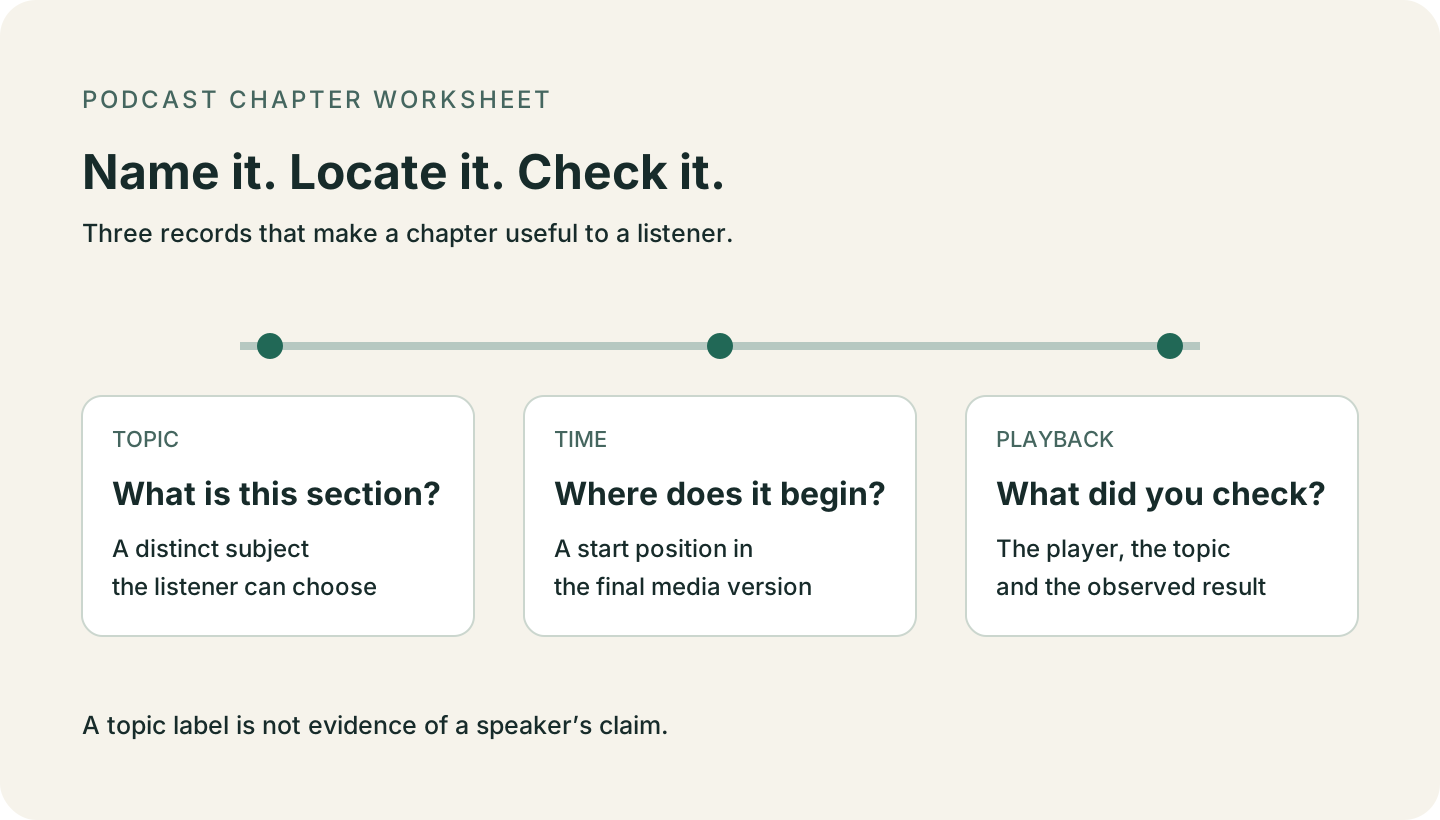
To write podcast chapters, find the topic changes in your finished episode, give each section a short descriptive title, and pair the title with its start time. Format the list for the player where it will appear. Before publishing, check that the displayed chapters take listeners to the intended parts of that version.
A useful chapter list lets a listener choose where to go without reading a full summary. Name the subjects in the order they occur. Use a claim as a title only after checking that the section supports it.
Use the chapter format your destination documents
For chapters placed in an episode description, Apple specifies a first timestamp of 00:00:00 and at least three chapters. Apple also supports chapters supplied through an RSS feed or file metadata. The description route below avoids assuming your host supports those other methods. Source: Apple chapter documentation.
Spotify asks for a title and time on each line, starting at zero, with at least three entries in chronological order. Its documented formats include MM:SS and HH:MM:SS, with or without parentheses. Use plain text; omit emoji and HTML. Spotify separately recommends titles under 40 characters. Source: Spotify chapter documentation.
For a YouTube podcast video, the description needs at least three timestamps in ascending order, with the first at 00:00. Each chapter must last at least 10 seconds. Check the final chapter against the end of the video too. Source: YouTube chapter documentation.
| Destination | Description-list rule | Separate editorial guidance |
|---|---|---|
| Apple Podcasts | Start at 00:00:00; include at least three chapters. | Apple recommends brief titles, fewer than five words and no more than 45 characters. |
| Spotify | Start at 00:00 or 00:00:00; put chronological title-and-time entries on separate lines. | Spotify recommends titles under 40 characters. A short title still needs to identify the topic. |
| YouTube | Start at 00:00; use at least three timestamps; each chapter lasts at least 10 seconds. | Name the section a listener will find, rather than promising a result the episode does not support. |
Choose topic changes, then review the spacing
Start a new chapter when the listener’s reason for listening changes: a new question, method, example or stage of an explanation. Do not create a new label for every speaker turn. If neighboring titles could swap places without changing their meaning, make them more specific so a listener can choose a section.
Apple recommends chapters of at least two minutes and suggests trying no more than six per hour. Those are listening guidelines, not YouTube’s minimum-duration rule. A mechanically valid list can still be too fragmented to scan. Source: Apple chapter best practices.
Chapter length should follow the material. If a brief aside does not help someone navigate, keep it inside the surrounding chapter. If a long section changes topics, locate that change in the recording before adding a marker.
Name the topic without inventing the takeaway
Prefer a recognizable subject such as “Code readability” to an empty label such as “More discussion.” If you want to turn a topic into a claim, return to the source. A heading about readability does not tell you which advice a guest gave.
The producer’s outline for Lex Fridman’s episode with Guido van Rossum lists adjacent sections for CPython, code readability and indentation. The example below uses those published labels to study navigation. It does not report what was said in the recording. Source: Producer’s episode outline.
Copyable working example
Use a complete list before testing your own episode
These invented chapter titles and times illustrate a 35-minute episode about planning a launch. They are not timestamps from a real recording. Replace every entry with your own checked material. For YouTube, format the first time as 00:00. Keep the review notes below the list in your working document, not in the published description.
00:00:00 Choosing a Launch Date
00:08:10 Finding Dependencies
00:22:40 Handling a Delay

Keep outside the public chapter list:
Media version: [file revision or exact upload URL]
For each chapter: [topic cue] | [checked start] | [player and result]
After an edit: [which entries moved and were rechecked]
Build the chapter list
From the finished episode to checked chapters
Choose the final audio or video version
Choose the finished audio file or video upload. Use a transcript to find candidate topic changes, then locate each transition in that media version. Do not transfer times from an earlier edit without checking them.
Write one title for each section
Read the titles in order without the episode description. Each should tell a listener what subject comes next. Keep the wording distinct and concrete; a title can be useful without making a surprising claim.
Format the destination list
Use the documented start format and put each title beside its time. Keep one master list with the media version recorded. When an audio edit differs from the video upload, check their times separately.
Check the visible list and the jumps
After saving, inspect the chapters in the destination player. Select each one and check the nearby question or topic, not only the clock. A listener should not have to hunt for a section your title promised. Record missing chapters, wrong positions and unperformed checks separately.
Published outline example
What a real chapter outline can teach you
The producer’s page for Lex Fridman episode 341, featuring Guido van Rossum, publishes the following adjacent outline entries. Only the public outline was checked. This short excerpt is not a complete chapter list to paste into a player.
The source page supplies the chapter names and positions. The observations in the next columns are PodInk’s reading of those labels, not quotations from the guest. Source: Read the original episode page.
| Published entry | What the label offers | What the label does not establish |
|---|---|---|
| 07:26 — CPython | Names a specific implementation a listener may recognize. | The title alone does not establish any performance comparison.Source: Producer’s outline |
| 12:38 — Code readability | Separates a code-quality topic from the preceding implementation topic. | The label does not state which code style the guest recommends.Source: Producer’s outline |
| 17:00 — Indentation | Provides a concrete topic a listener can look for. | Do not convert the label into a claim that indentation causes readability.Source: Producer’s outline |
A useful editing rule
“A chapter title promises a subject to find. A claim about that subject needs its own evidence.”PodInk editorial recommendation
The sequence shows why distinct subject names help. Replacing all three with “Python discussion” would remove the choice between implementation, readability and indentation. That is an editorial comparison of the written labels, not a measured improvement in listening behavior.
A title such as “Why indentation makes code readable” would add a relationship absent from the outline. Check the actual passage before using that stronger wording. Until then, retain the narrower topic title.
Use a published outline to study naming. Use the actual destination recording to confirm your own chapter boundaries; the excerpt above does not verify playback.
Compare how the approved core changes in the LinkedIn workflow and the X workflow.
Check before publishing
A chapter must name and reach the right section
| Observation | What it means | Next action |
|---|---|---|
| Several titles say “Discussion” | The list gives the listener little basis for choosing a section. | Name each section’s subject; then reread the list on its own. |
| The title promises a conclusion absent from your notes | The title may overstate what you have checked. | Find supporting words in the passage, or narrow the title to its topic. |
| The list is saved but not displayed | Saving text has not established chapter availability. | Check destination formatting and allow documented refresh time before diagnosing a playback problem. |
| The chapter opens before or after the intended topic | The entry needs a position check in this media version. | Relocate the transition, update the time, and test the saved entry again. |
- The chapter list begins at zero and follows the destination’s documented format.
- Every title identifies a distinct subject the listener can find.
- Each start belongs to the final destination version, not an unexamined older edit.
- The displayed list and each jump have been checked, or the missing checks are recorded.
- The published chapter list excludes private review notes and unresolved placeholder times.
Evidence boundaries
What was checked for this guide
- Platform requirements and the producer’s public outline were reviewed on November 5, 2026. Interface behavior can change; follow the linked documentation for your destination.
- No episode audio, video, account settings or chapter playback was tested. The real example establishes published labels and positions only.
- The launch-planning list is a constructed teaching example. It is not a client case, verified episode map or evidence of increased listening, search rankings or AI citations.
Human review remains necessary. No repurposing workflow can turn weak evidence into a strong claim.
FAQ
Frequently asked questions
Can I use one chapter list for Apple Podcasts, Spotify and YouTube?
You can keep one working list if the destination media versions match, but adapt the timestamp format and check each player. Apple’s description instructions begin at 00:00:00; YouTube asks for 00:00. A saved list does not establish that every destination displayed or played it correctly.
Why are my updated podcast chapters not visible yet?
First check the destination’s formatting instructions. Apple says changes supplied through the feed appear after the show is refreshed. Spotify warns description changes can take a few hours to appear. Record when you saved the change and check again before treating a delayed list as a wrong timestamp.
Can a chapter timestamp be used as an exact quote timestamp?
A chapter start identifies a section. It does not necessarily identify a particular sentence inside that section. Find the exact passage in the recording before presenting a chapter time as the location of a quote.
Evidence
Sources and comparison pages
- Chapters on Apple PodcastsApple Podcasts for Creators
- Episode chaptersSpotify for Creators
- Video ChaptersYouTube Help
- Guido van Rossum: Python and the Future of Programming — episode outlineLex Fridman Podcast